
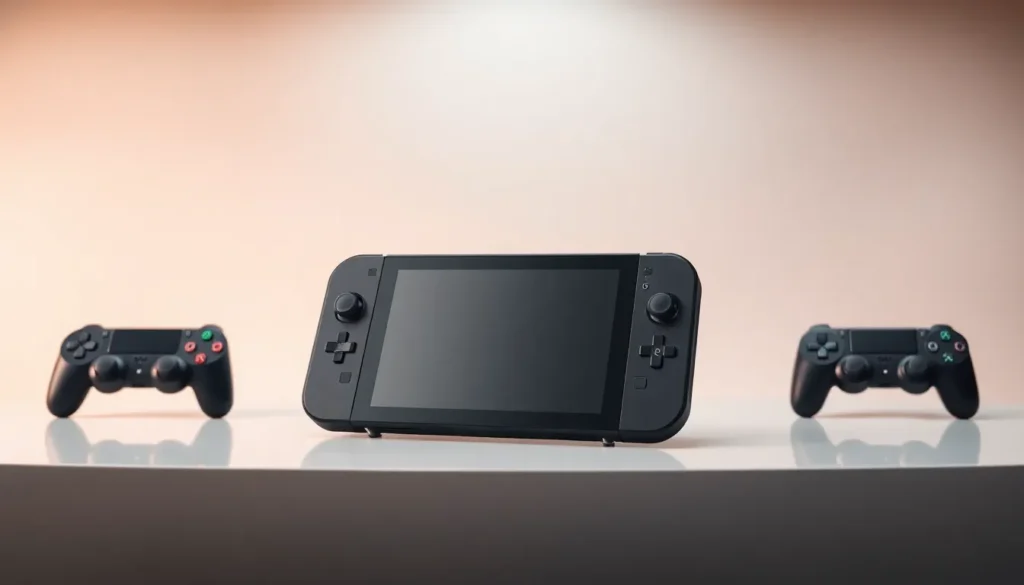

The Lenovo Legion Go has made waves in the handheld gaming PC market since its launch. But how does it stack up against rivals like the Steam Deck, ASUS ROG Ally, and MSI Claw? Gamers now have more portable options than ever, and picking the right device matters. Each handheld brings different strengths to the table, from display quality and performance to price and game library access. This guide breaks down the Lenovo Legion Go vs its main competitors, helping buyers make an well-informed choice based on specs, real-world performance, and value.
Table of Contents
ToggleKey Takeaways
- The Lenovo Legion Go features the largest screen (8.8 inches) among handheld gaming PCs with unique detachable controllers and FPS Mode for shooter games.
- Lenovo Legion Go vs Steam Deck comes down to Windows compatibility and Game Pass access versus a more affordable OLED experience starting at $549.
- The ROG Ally X offers significantly better battery life (80Wh vs 49.2Wh) and lighter weight, while the Legion Go wins on screen size and controller versatility.
- Lenovo Legion Go vs MSI Claw favors the Legion Go, as AMD’s Ryzen Z1 Extreme outperforms Intel’s chips in gaming benchmarks at the same $699 price point.
- Choose the Lenovo Legion Go if you prioritize screen size, detachable controllers, and access to Game Pass or non-Steam games.
Lenovo Legion Go Overview
The Lenovo Legion Go runs Windows 11 and features an 8.8-inch IPS display with a 2560 x 1600 resolution. That’s the largest screen among current handheld gaming PCs. The device uses an AMD Ryzen Z1 Extreme processor, which delivers solid performance for AAA titles and indie games alike.
One standout feature? The detachable controllers. The Legion Go lets users remove its controllers and use one as a vertical mouse, a unique design choice that sets it apart from competitors. This FPS Mode gives players an edge in shooter games where precision matters.
Storage options include 512GB or 1TB SSD configurations, with microSD expansion available. The Legion Go weighs around 854 grams with controllers attached, making it heavier than most rivals. Battery life lands between 2-8 hours depending on workload and settings.
Pricing starts at $699 for the base model. The Lenovo Legion Go targets gamers who want a larger screen, Windows compatibility, and unique controller options in a portable package.
Legion Go vs Steam Deck
The Lenovo Legion Go vs Steam Deck comparison often comes down to ecosystem preference and screen size. Valve’s Steam Deck OLED runs SteamOS (Linux-based) by default, while the Legion Go uses Windows 11.
Display Differences
The Legion Go’s 8.8-inch LCD screen dwarfs the Steam Deck OLED’s 7.4-inch panel. But, the Steam Deck OLED uses, you guessed it, OLED technology, which produces deeper blacks and more vibrant colors. The Legion Go counters with higher resolution (2560 x 1600 vs 1280 x 800).
Performance
Both devices use AMD chips. The Legion Go’s Ryzen Z1 Extreme edges out the Steam Deck’s custom APU in raw power. Games run at higher settings on the Legion Go, though this advantage shrinks when accounting for the higher resolution.
Game Compatibility
The Steam Deck plays most Steam games through Proton compatibility. The Lenovo Legion Go runs any Windows game natively, including titles from Epic, GOG, Xbox Game Pass, and other platforms. For gamers tied to Game Pass, the Legion Go wins here.
Price
The Steam Deck OLED starts at $549, while the Legion Go begins at $699. That $150 gap matters for budget-conscious buyers.
The Steam Deck suits players who primarily use Steam and want a polished, optimized experience. The Lenovo Legion Go appeals to those who need Windows, Game Pass access, or prefer a bigger display.
Legion Go vs ASUS ROG Ally
The Lenovo Legion Go vs ASUS ROG Ally matchup pits two Windows-based handhelds against each other. Both run the same operating system, so the differences come down to hardware and design choices.
Screen and Size
The ROG Ally features a 7-inch 1080p display at 120Hz. The Legion Go offers a larger 8.8-inch screen at a higher resolution but caps at 144Hz. The Ally feels more compact and lighter at 608 grams compared to the Legion Go’s 854 grams.
Processing Power
ASUS offers two ROG Ally variants. The standard model uses the Ryzen Z1, while the ROG Ally X uses the Z1 Extreme, the same chip in the Legion Go. Performance between the Legion Go and ROG Ally X runs nearly identical in benchmarks.
Controllers and Ergonomics
The Legion Go’s detachable controllers give it flexibility the ROG Ally can’t match. Players can use them separately, dock the main unit, or engage FPS Mode. The ROG Ally has fixed controllers but a more comfortable grip for extended sessions due to its lighter weight.
Battery and Storage
The ROG Ally X packs an 80Wh battery versus the Legion Go’s 49.2Wh. This gives the Ally significantly longer playtime, a major factor for travel gaming.
Pricing
The ROG Ally starts at $499, with the Ally X at $799. The Lenovo Legion Go sits at $699, placing it between the two ASUS options.
The ROG Ally X offers better battery life and portability. The Lenovo Legion Go provides a bigger screen and unique controller options. Gamers should weigh screen size against weight and battery when deciding.
Legion Go vs MSI Claw
The Lenovo Legion Go vs MSI Claw comparison introduces an interesting twist: the MSI Claw uses Intel instead of AMD.
The Intel Factor
The MSI Claw runs on Intel Core Ultra processors. Early models used the Core Ultra 7 155H, with newer versions featuring updated chips. Intel’s integrated graphics lag behind AMD’s Ryzen Z1 Extreme in most gaming tests. The Legion Go consistently outperforms the MSI Claw in frame rates across popular titles.
Display Comparison
The MSI Claw has a 7-inch 1080p screen at 120Hz. The Lenovo Legion Go’s 8.8-inch display offers more screen space and sharper visuals. For gamers who prioritize display quality, the Legion Go wins this round.
Build and Design
MSI built the Claw with a more traditional handheld shape, no detachable parts. It weighs around 675 grams, making it lighter than the Legion Go but heavier than the ROG Ally. The Claw feels solid but lacks the Legion Go’s unique design features.
Software and Compatibility
Both run Windows 11, so game compatibility is identical. Intel’s drivers have improved since launch, but AMD’s gaming optimization remains stronger overall.
Price Point
The MSI Claw starts around $699, the same as the Lenovo Legion Go. Given the performance gap, the Legion Go offers better value at this price.
The MSI Claw suits buyers invested in Intel’s ecosystem or those who prefer its form factor. Most gamers will find the Lenovo Legion Go delivers more performance per dollar.
Which Handheld Should You Choose?
Choosing between the Lenovo Legion Go vs its competitors depends on priorities. Here’s a quick breakdown:
Choose the Lenovo Legion Go if:
- Screen size matters most
- Detachable controllers and FPS Mode appeal to your play style
- Game Pass or non-Steam games are important
- Higher resolution is a priority
Choose the Steam Deck if:
- Budget is tight ($549 entry point)
- Steam is the primary game library
- OLED display quality matters more than size
- A polished, console-like experience is preferred
Choose the ROG Ally X if:
- Battery life is critical
- Lighter weight matters for travel
- Windows gaming is needed without the larger form factor
Choose the MSI Claw if:
- Intel compatibility is required for specific use cases
- The form factor feels more comfortable personally
The Lenovo Legion Go stands out for its screen and controller versatility. It’s the best choice for gamers who want the largest display and don’t mind the extra weight. The Steam Deck remains excellent value with its OLED screen. The ROG Ally X balances performance with portability. The MSI Claw works for Intel fans but trails in raw gaming performance.


