
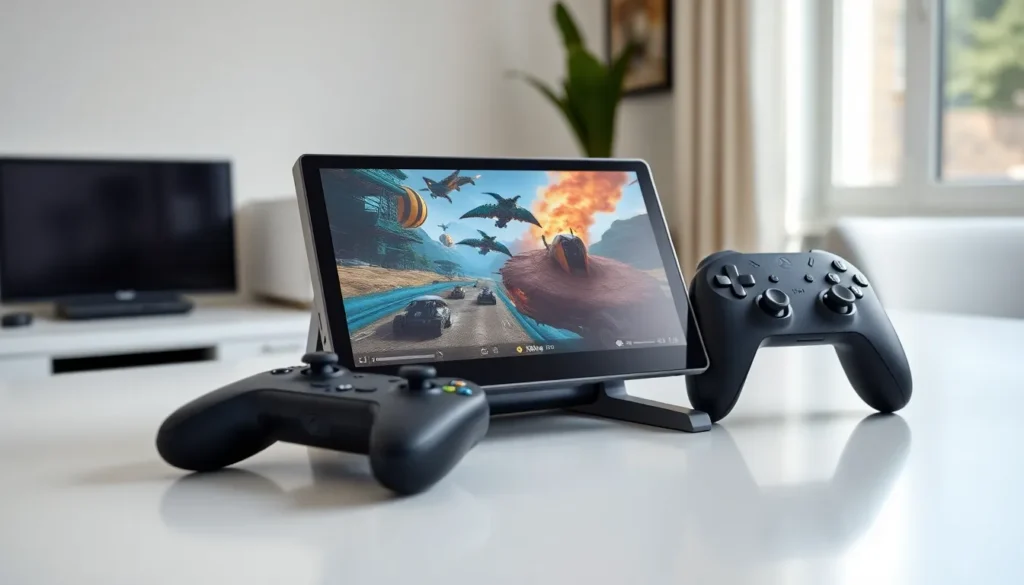

The top Lenovo Legion Go has earned its place as the leading handheld gaming PC in 2025. Gamers want power, portability, and premium features in one device. The Legion Go delivers all three. This Windows-based handheld runs AAA games, offers detachable controllers, and features an 8.8-inch display. It stands apart from competitors with its unique design and impressive specs. This article covers what makes the Legion Go special, its key specifications, display quality, battery life, and how it stacks up against rivals.
Table of Contents
ToggleKey Takeaways
- The top Lenovo Legion Go stands out with detachable controllers, an FPS Mode for precise aiming, and a built-in kickstand for flexible gaming setups.
- Powered by the AMD Ryzen Z1 Extreme processor with 16GB RAM, the Legion Go handles AAA games like Cyberpunk 2077 at 30-40 FPS on medium settings.
- The 8.8-inch QHD+ display with 144Hz refresh rate is the largest screen among major handheld gaming PCs, delivering sharp visuals and smooth motion.
- Battery life ranges from 1.5 to 3 hours depending on game intensity, with quick 90-minute charging via the included 65W USB-C charger.
- At $699, the top Lenovo Legion Go competes with the Steam Deck OLED and ROG Ally, offering superior screen size and versatility but at a heavier weight.
- Windows 11 provides access to Steam, Epic Games, and Xbox Game Pass, letting players use their existing game libraries without repurchasing titles.
What Makes the Lenovo Legion Go Stand Out
The top Lenovo Legion Go separates itself from other handhelds through several distinctive features. Its detachable controllers set it apart immediately. Gamers can remove both Joy-Con-style controllers and use the device as a standalone tablet. The right controller transforms into a vertical mouse with an included stand. This FPS Mode gives players precise aiming control that no other handheld offers.
Lenovo built the Legion Go on Windows 11. This operating system choice opens access to Steam, Epic Games, Xbox Game Pass, and other PC gaming platforms. Players aren’t locked into a single storefront. They can access their existing game libraries without repurchasing titles.
The kickstand adds another practical advantage. Users can prop up the Legion Go on any flat surface and play with detached controllers. This setup works well for longer gaming sessions at desks or tables. The Steam Deck and ROG Ally lack this built-in flexibility.
Lenovo’s Legion Space software provides a console-like interface. It organizes games from different launchers into one location. Quick access to settings, performance modes, and system controls makes the experience smooth. The software bridges the gap between PC gaming and handheld convenience.
Key Specifications and Performance
The top Lenovo Legion Go packs serious hardware into its portable frame. The AMD Ryzen Z1 Extreme processor powers the device. This custom chip combines an 8-core, 16-thread CPU with RDNA 3 graphics. It delivers performance comparable to a dedicated gaming laptop.
The Legion Go includes 16GB of LPDDR5X RAM running at 7500MHz. This fast memory keeps games running without stuttering during intense scenes. Storage starts at 512GB with a speedy NVMe SSD. A microSD card slot allows expansion for larger game libraries.
Performance numbers impress across popular titles. Cyberpunk 2077 runs at 30-40 FPS on medium settings at native resolution. Elden Ring maintains 40-50 FPS with optimized graphics options. Less demanding games like Hades or Vampire Survivors hit 60 FPS easily.
Lenovo offers three TDP modes. Quiet mode runs at 8W for battery savings. Balanced mode uses 15W for everyday gaming. Performance mode pushes 25W for maximum power. The Legion Go also supports custom TDP settings up to 30W through Legion Space. This flexibility lets users choose between battery life and raw performance based on each game’s demands.
Display and Controls
The top Lenovo Legion Go features the largest screen among major handheld gaming PCs. Its 8.8-inch IPS display delivers 2560 x 1600 resolution. This QHD+ panel shows sharp details and vibrant colors. The 144Hz refresh rate ensures smooth motion in fast-paced games.
Peak brightness reaches 500 nits. Gamers can play comfortably in well-lit rooms or outdoors in shade. The display covers 97% of the DCI-P3 color gamut. Colors appear accurate and punchy across different game genres.
Touch controls respond quickly and accurately. The 10-point multitouch screen works well for menu navigation and touch-friendly games. Gorilla Glass 5 protects the display from scratches and minor impacts.
The detachable controllers include Hall Effect joysticks. These analog sticks resist drift over time, a common problem with traditional designs. Each controller has a full complement of buttons, triggers, and bumpers. Trackpads on both controllers add mouse-like precision for strategy games or desktop use.
Back buttons provide extra inputs for competitive players. Gyroscope sensors enable motion aiming in supported games. The overall control layout matches console controllers while adding PC-specific features. Players familiar with Xbox or PlayStation controllers will adapt quickly to the Legion Go’s setup.
Battery Life and Portability
The top Lenovo Legion Go carries a 49.2Wh battery. Real-world gaming sessions last between 1.5 to 3 hours depending on game intensity and TDP settings. Light games and lower brightness extend playtime toward the upper range. AAA titles at high settings drain the battery faster.
The included 65W USB-C charger refills the battery quickly. A full charge takes roughly 90 minutes. The Legion Go supports USB Power Delivery. Compatible power banks can extend gaming sessions on the go.
At 854 grams (about 1.88 pounds), the Legion Go weighs more than its competitors. The Steam Deck LCD weighs 669 grams. The ROG Ally comes in at 608 grams. This extra weight reflects the larger screen and detachable controller system.
Dimensions measure 299mm x 131mm x 41mm. The device fits in larger bags and backpacks but won’t slip into jacket pockets. The included carrying case protects the Legion Go during travel. It holds the handheld with controllers attached plus the charger and accessories.
For extended trips, the Legion Go works as a portable PC workstation. Users can connect external displays, keyboards, and mice through USB-C. This versatility makes it useful beyond gaming.
How the Legion Go Compares to Competitors
The top Lenovo Legion Go competes directly with the Steam Deck OLED and ASUS ROG Ally. Each device targets a different type of gamer.
The Steam Deck OLED offers the best value at $549. Its OLED screen delivers perfect blacks and vivid colors. SteamOS provides a focused, console-like experience. But, it limits access to non-Steam games without workarounds. The smaller 7.4-inch screen and fixed controllers suit gamers who prioritize simplicity.
The ROG Ally runs the same AMD Z1 Extreme chip as the Legion Go. It costs $699 and weighs less than both competitors. The 7-inch 120Hz screen offers good quality in a compact package. ASUS designed it for gamers who want raw power in the smallest possible form factor.
The Legion Go starts at $699 for the base model. Its larger screen, detachable controllers, and FPS Mode justify the price for certain users. Gamers who want tablet functionality or precise mouse controls will appreciate these features. The built-in kickstand adds flexibility that rivals lack.
Battery life ranks similarly across all three devices. None deliver marathon gaming sessions on demanding titles. All support fast charging and USB-C power banks.
The Legion Go wins for screen size, versatility, and unique features. The Steam Deck excels at value and software integration. The ROG Ally leads in portability and weight. Each device serves its audience well.


