
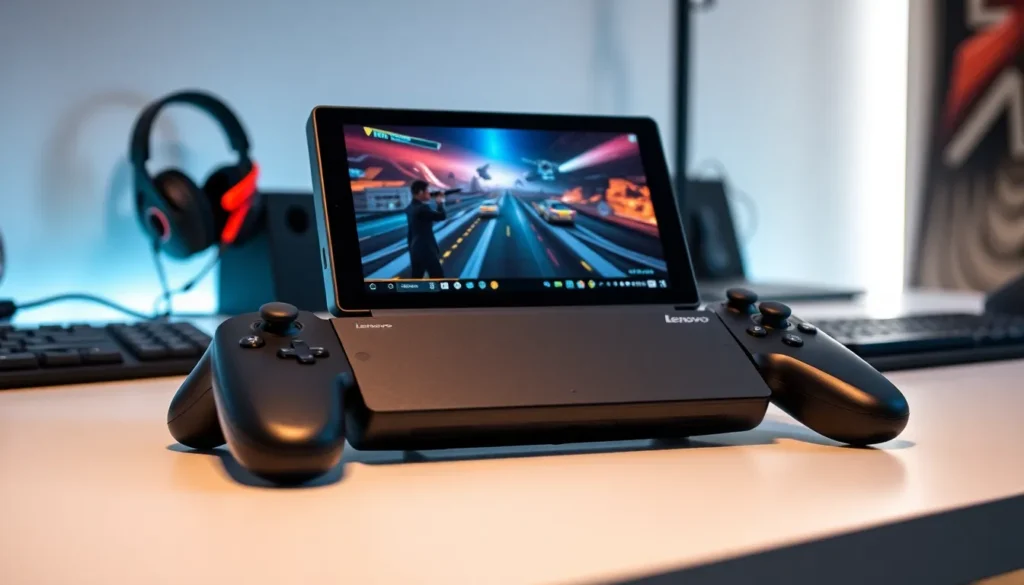

The Lenovo Legion Go has made a strong impression on the handheld gaming PC market since its release. This device combines powerful hardware with a unique detachable controller design that sets it apart from competitors. Gamers who want a portable Windows experience now have a serious option to consider.
Lenovo built the Legion Go for players who refuse to compromise on performance while gaming on the move. The device runs full Windows 11, giving users access to their entire Steam library, Game Pass titles, and other PC games. But does it deliver on its promises? This article breaks down everything buyers need to know about the Lenovo Legion Go, from specs and display quality to battery life and how it stacks up against rivals.
Table of Contents
ToggleKey Takeaways
- The Lenovo Legion Go features an AMD Ryzen Z1 Extreme processor with 8.6 teraflops of GPU power, capable of running AAA games at medium to high settings.
- Its 8.8-inch display is the largest on any mainstream handheld gaming PC, offering 2560×1600 resolution, 144Hz refresh rate, and 97% DCI-P3 color coverage.
- The detachable controllers with Hall effect joysticks include an innovative FPS Mode that transforms the right controller into a mouse-like aiming device.
- Battery life ranges from 1-2 hours during intensive gaming up to 3-4 hours for lighter games, similar to competing handheld gaming PCs.
- The Lenovo Legion Go is priced in the premium tier starting at $699, positioning it as a top choice for gamers who prioritize screen size and controller flexibility over portability.
Key Hardware Specifications and Performance
The Lenovo Legion Go packs serious processing power into its portable frame. At its core sits the AMD Ryzen Z1 Extreme processor, which uses Zen 4 architecture and RDNA 3 graphics. This chip delivers up to 8.6 teraflops of GPU performance, a significant number for a handheld device.
Memory comes in at 16GB of LPDDR5X RAM running at 7500MHz. Storage options include 512GB or 1TB SSD configurations, both using PCIe 4.0 for fast load times. Users can expand storage through a microSD card slot, which accepts cards up to 2TB.
In real-world gaming, the Lenovo Legion Go handles AAA titles at medium to high settings. Games like Cyberpunk 2077, Baldur’s Gate 3, and Starfield run smoothly when players adjust settings appropriately. The Z1 Extreme chip provides enough headroom for most modern games, though demanding titles may require lowered resolution or graphics presets.
The device offers multiple performance modes. Quiet mode conserves power for lighter tasks. Balanced mode works well for most gaming sessions. Performance mode pushes the hardware to its limits, reaching up to 25W TDP. These options let users control the balance between performance and heat output.
Display and Visual Experience
The Lenovo Legion Go features an 8.8-inch IPS touchscreen, the largest display on any mainstream handheld gaming PC. This screen runs at 2560×1600 resolution with a 16:10 aspect ratio. The extra screen real estate makes games more immersive and helps with visibility in detailed scenes.
Refresh rate tops out at 144Hz, which provides smooth motion in fast-paced games. Response time sits at 1ms, reducing ghosting and blur during quick movements. These specs matter for competitive gaming and action titles where every frame counts.
Color accuracy on the Legion Go display impresses. The panel covers 97% of the DCI-P3 color space and reaches 500 nits peak brightness. Games look vibrant, and the screen remains readable in bright environments. HDR support adds depth to compatible titles.
The touchscreen responds well to input, and Lenovo included Gorilla Glass 3 protection. Users can interact with Windows and games through touch, though the controllers remain the primary input method for most gaming scenarios.
Detachable Controllers and FPS Mode
The Lenovo Legion Go’s most distinctive feature is its detachable controllers. Unlike competitors with fixed controls, the Legion Go lets users remove both sides and use them independently. This design creates flexibility that other handhelds simply don’t offer.
Each controller connects magnetically and includes Hall effect joysticks. These joysticks resist drift over time, a common problem with traditional analog sticks. The buttons feel responsive, and the triggers offer a satisfying range of motion.
FPS Mode transforms the right controller into a vertical mouse-like device. Users place it on a flat surface and use the trackball for precise aiming. This setup works well for first-person shooters where mouse-style input provides an advantage. A kickstand on the main unit allows tabletop play during FPS Mode sessions.
The controllers also include gyroscope sensors for motion aiming. Players can fine-tune their shots by tilting the device, a feature popular with Steam Deck users that works equally well here. Back buttons add extra inputs for advanced control schemes.
When detached, the controllers connect via Bluetooth. Battery life in detached mode runs about 10 hours with normal use. Charging happens automatically when reattached to the main unit.
Battery Life and Portability Considerations
Battery life remains a challenge for all handheld gaming PCs, and the Lenovo Legion Go faces similar constraints. The device includes a 49.2Wh battery that provides roughly 1-2 hours of intensive gaming. Lighter games and streaming extend this to about 3-4 hours.
These numbers match or slightly exceed competitors running similar hardware. The Z1 Extreme chip draws significant power under load, and the large display adds to consumption. Users should plan for shorter sessions without access to power or carry the included 65W USB-C charger.
The Legion Go weighs 854 grams with controllers attached, heavier than both the Steam Deck and ASUS ROG Ally. The larger screen and detachable controller mechanism add bulk. Some users find extended handheld sessions tiring due to the weight.
Portability benefits from the included carrying case. The case protects the device during travel and stores the charger. While the Legion Go fits in larger bags, it won’t slip into a jacket pocket like smaller handhelds.
Lenovo added a USB-C port on top and bottom of the device. This placement allows charging while using a stand or playing in tabletop mode. An additional USB4 port supports external displays and accessories.
How It Compares to Other Handheld Gaming PCs
The handheld gaming PC market has grown competitive, and the Lenovo Legion Go occupies a specific position. Against the Steam Deck, the Legion Go offers more raw power and a better display. The Steam Deck costs less and benefits from SteamOS optimization, though it limits users to Linux-based gaming without workarounds.
Compared to the ASUS ROG Ally, the Legion Go trades blows. Both use the Z1 Extreme chip, so raw performance matches closely. The Legion Go wins on screen size and the detachable controller feature. The ROG Ally offers a more compact form factor and lighter weight.
MSI’s Claw uses Intel processors instead of AMD. Early versions struggled with driver issues and performance inconsistencies. The Legion Go provides a more stable experience at launch.
Price positions the Lenovo Legion Go in the premium tier. At launch, the 512GB model cost around $699, with the 1TB version at $799. This pricing competes directly with the ROG Ally while undercutting some configurations of other Windows handhelds.
The Legion Go stands out for users who value the large display and controller flexibility. Gamers who prioritize weight and battery life may prefer alternatives. Those committed to Windows gaming and full PC compatibility will find the Legion Go among the best current options.


